
User Tools
Sidebar
nmwc
This is an old revision of the document!
National Minimum Wage Compliance
CareFree provides the facility to run a report which will check that your caring staff are meeting the national minimum wage, it is the responsibility of the management team to make sure your company is being compliant.
Before we look at the actual report, its worth taking a look at a few key areas under the shared options panel within CareFree.
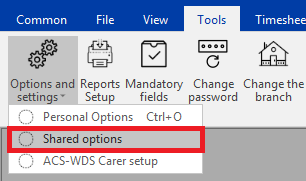
First access shared options from the top menu bar:
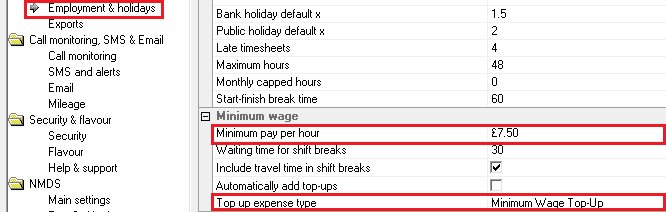
Once in the settings navigate to the “Employment & Holidays” section:
 (Click image to increase size)
Change the minimum pay per hour to the correct amount, and also choose a top up expense type, if you do not have a relevant expense type more can be added under items > expense reasons.
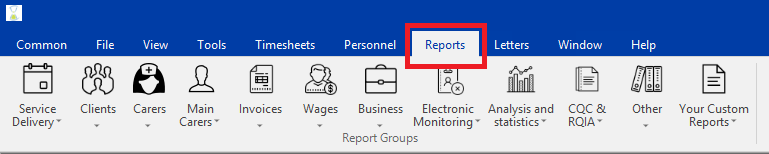
Now lets run the report, from the main menu select Reports:
Once in the reports section, navigate to wages then Minimum wage compliance:
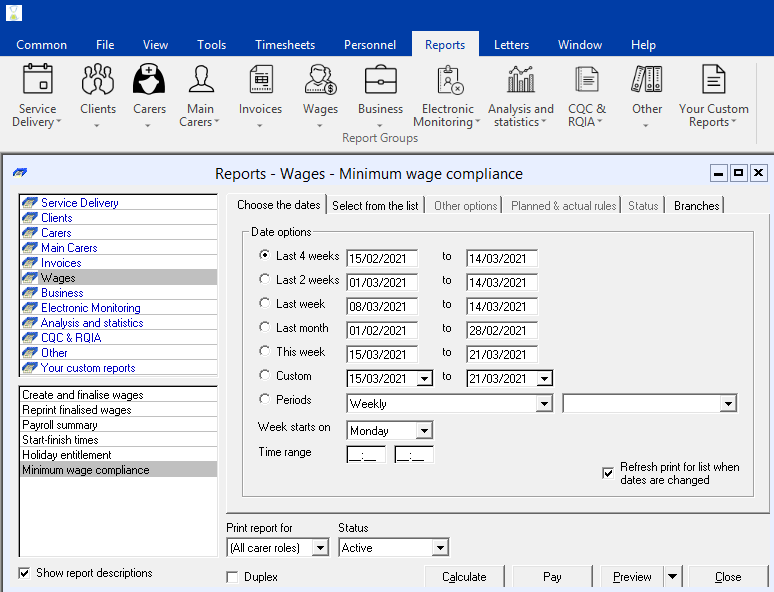
On the first tab, choose the dates which you want to run the minimum wage check for, this will most likely coincide with your wage run dates.
Now click on the tab which says Select from the list:
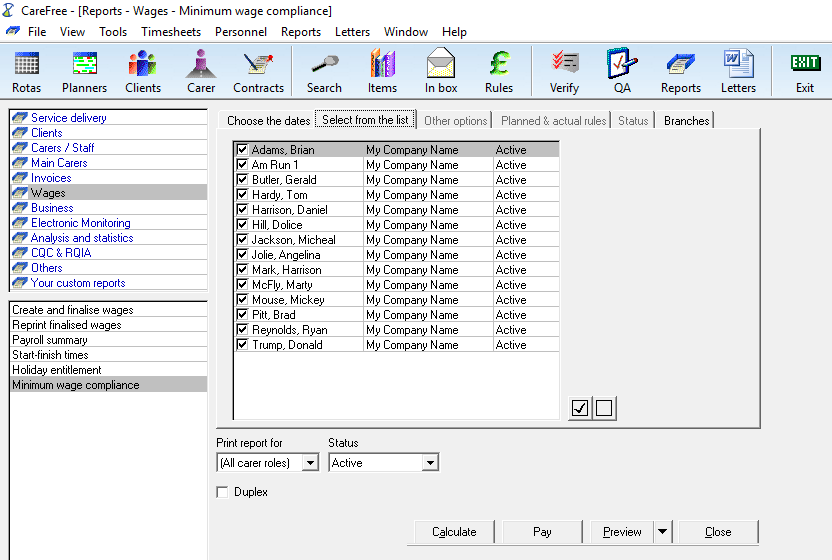
On this tab make sure to add the people you want to run the check for. Notice how you have some filtering options at the bottom under “Print report for”. This might be useful if you only wanted to check minimum wage compliance for your carers role instead of office managers etc.
Then click the  button. Wait for the calculation to process then press
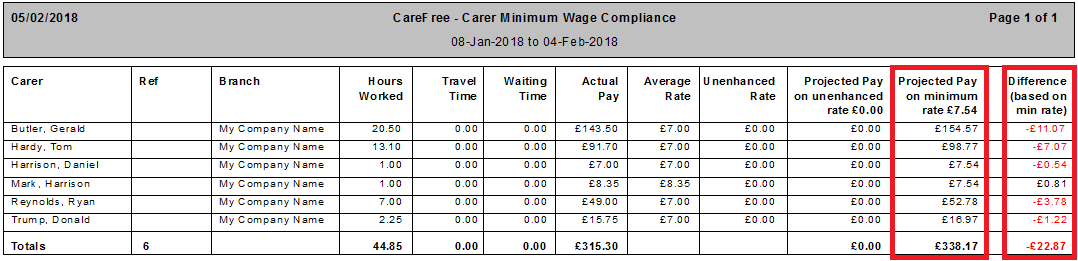
You will then be presented with a report which will look something like this:
 (Click image to increase size)
Looking at the last two columns you have projected pay and the difference which are both based off the minimum rate as previously entered. Check these value along with the actual pay and average rate to make a decision on whether or not you would like to do a top up.
If you would like to make a top-up close the report at and then use the  button.
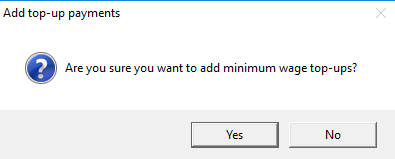
You will then see a dialogue box asking you to confirm the action:
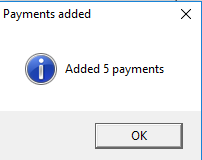
Followed by a confirmation that the adjustments have been added:
You can then view the expenses in Additions & Adjustments (Tools > Invoices and wages > Additions and adjustments):
 (Click image to increase size)
And the top-up will also appear on the wage sheet when that report is run and finalised.
nmwc.1518453178.txt.gz · Last modified: 2018/02/12 17:32 by cfadmin


